

Post Production
Your film might look great, but can someone follow it with the sound off? Here’s where captions help, what the research actually tells us, and how to choose a style that suits your video.
Try watching your next video with the sound off. No headphones, no voiceover, no help from the music. Can you still follow what’s going on?
If it’s an interview, probably not. Your beautifully recorded conversation has become a fairly expensive mime act. Captions give the words a way back into the film, whether someone is watching on the train or sitting beside a sleeping child.
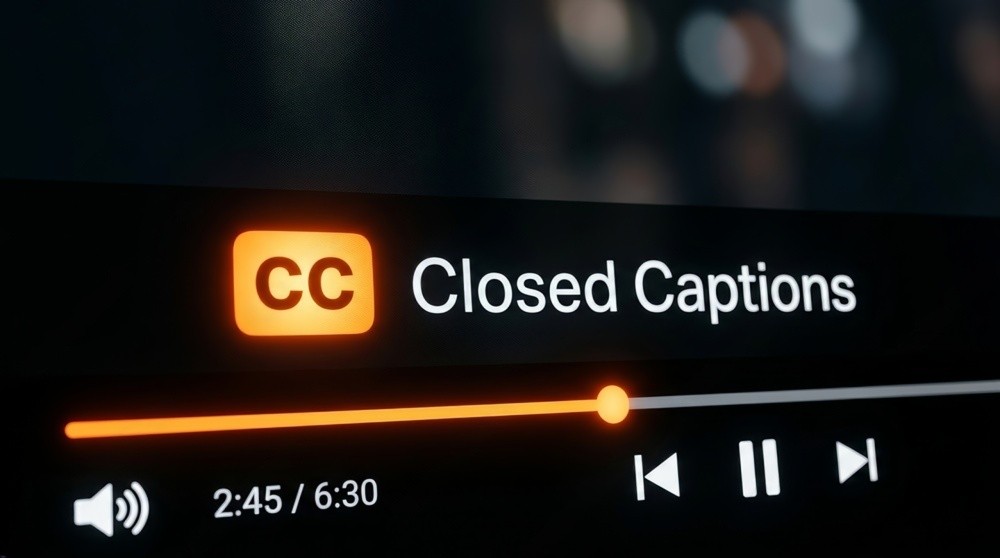
A player’s closed captions can be switched on when the viewer needs them.
People don’t always want the sound on
That’s easy to forget when you’ve spent hours choosing music and cleaning up dialogue. You’ve heard every second of the edit. The person scrolling past it hasn’t, and they may have no intention of turning the volume up.
Captions let them get into the story anyway. They’re also handy with the sound on: perhaps the room is noisy, the speaker has an unfamiliar accent, or a product name needs a second look. Netflix reported in April 2025 that nearly half its US viewing hours happened with subtitles or captions enabled. That’s streaming entertainment, so it isn’t a statistic about muted social videos. It does tell us that reading along has become a very ordinary way to watch. [1]
So, do captions keep people watching?
There’s some useful evidence. In 2016, Facebook reported that captions increased average viewing time for video ads by 12% in its internal tests. Worth paying attention to, provided we keep the date and the setting attached to the number. It’s a Facebook advertising result, rather than a promise for every film on every platform. [2]
Captions can make a video easier to follow. The opening, subject and edit still have to give someone a reason to stay. Putting words over three minutes of waffle won’t suddenly make it gripping.
They can help with understanding, too. A small 2025 study of 32 people watching clips from The Crown found higher scores on immediate comprehension-based recall questions with subtitles: 65.6%, compared with 46.9% without. That tells us something about recall, rather than how long people chose to watch. A June 2026 review of 180 studies also highlighted dialogue clarity, language and viewing conditions, alongside the importance of accurate, well-presented text. [3] [4]
For your own campaign, look at watch time, where viewers leave, and how many finish. Then look at the response you wanted: an enquiry, a click or a share. Those measures answer different questions. A longer view is useful, but it doesn’t automatically mean someone watched to the end or got in touch.
Accessibility needs more than a few keywords
For Deaf and hard-of-hearing viewers, captions can be what makes the film accessible in the first place. They need the spoken words, plus meaningful sounds and speaker identification where those affect understanding. W3C’s guidance covers that distinction. [5] [6]
In the UK, you’ll hear both ‘captions’ and ‘subtitles’ used for text on screen. The name matters less than the job it does. A few bouncing keywords might work as emphasis in a social edit, but they won’t give someone access to the whole conversation.
Choose a style that belongs in the film
The familiar white text on a black panel is only one option. The examples below show six approaches. Some suit a calm interview; others make more sense in a quick, energetic social clip.
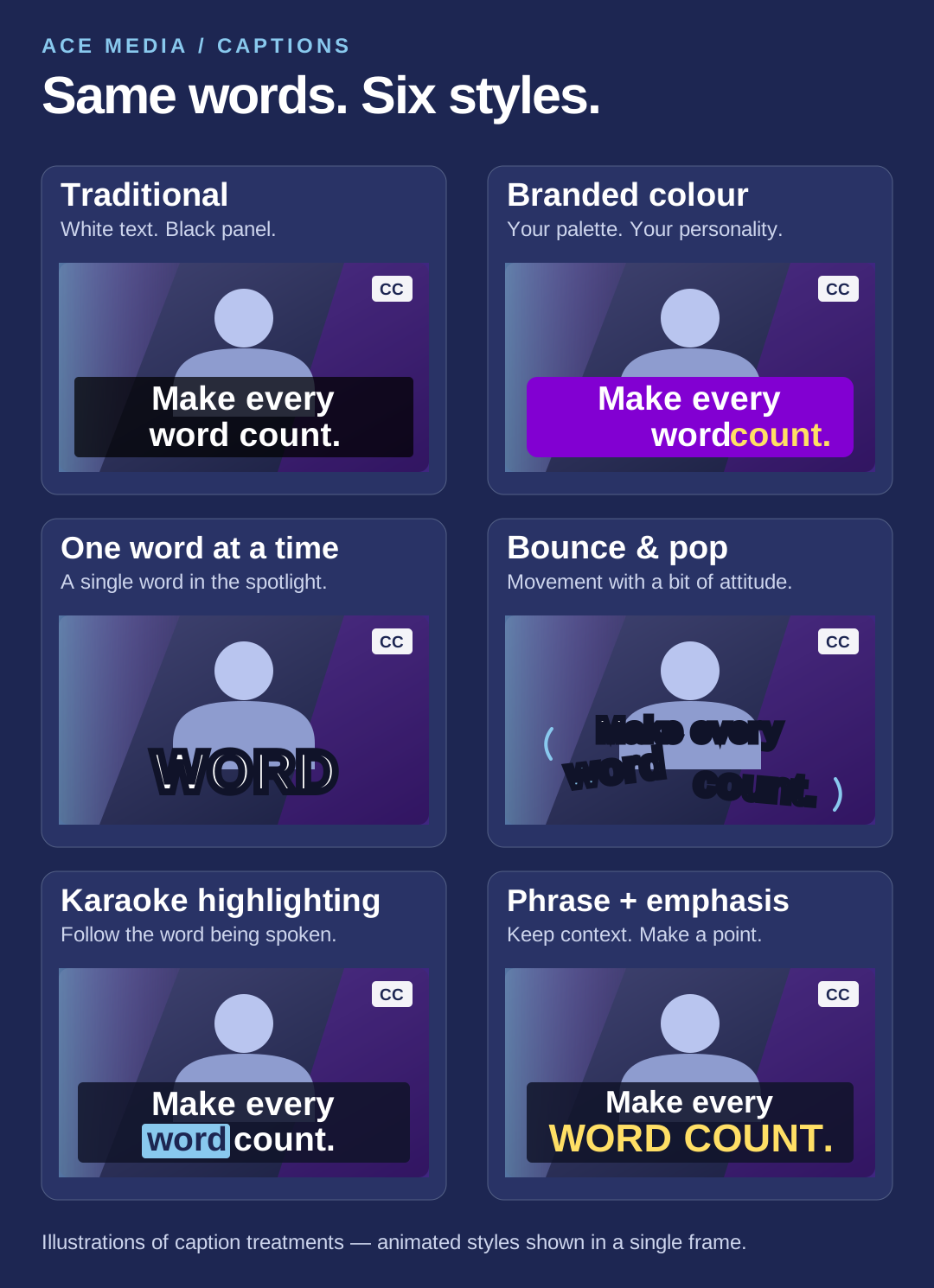
The same words, six different treatments. Graphic: Ace Media.
Traditional captions
White text on a semi-opaque black background. Familiar, readable and easy to follow as the picture changes behind it. A sensible choice for interviews, training and longer films, where the viewer needs time to read a phrase.
Branded colours and type
Use your brand’s typeface, colours and a consistent layout so the captions feel part of the production. An accent colour can pick out an important word. Just check that the text stays readable on a small phone, including over the busiest shots.
One word at a time
Each word appears as it’s spoken. That can give a short hook a punchy rhythm. It can also get tiring if someone has to follow a long explanation one word at a time, so use it where the delivery suits it.
Bounce and pop
Words scale up, pop in or bounce with the speaker, as you’ll often see on TikTok. It works best when the edit has that energy already. Keep the movement controlled; the viewer still needs to read the thing.
Karaoke highlighting
The phrase stays visible while the current word changes colour or gains a highlight. You get a clear sense of timing without losing the rest of the sentence. It’s an option worth trying for talking-head clips and explainers.
Phrases with a little emphasis
Show a short phrase, then use colour, weight or a small animation on the word that deserves attention. It leaves room for personality while keeping the thought together. You can combine these approaches, too: branded captions with karaoke highlighting, for example.
There’s no reason to choose a treatment just because it’s fashionable. Try it in the actual edit and check size, timing and placement, as OpusClip’s short-form guide recommends. The style should suit the speaker and the subject. [8]
The unglamorous bit: check the words
Automatic captions are a useful starting point. They still need a human pass, particularly for names, numbers and technical terms. One wrong word can change the meaning of an answer. [7]
Proofread against the recording, rather than assuming the transcript is right.
Break lines at natural points and give people enough time to read.
Check the final text size on a phone.
Keep captions clear of faces, other text and the platform’s buttons.
Watch the whole captioned export once more before it goes out.
Decide how you’ll deliver them
Bring captions into the production plan early. A social version may suit text built into the picture. A website player or longer film may suit a separate track that people can switch on and adjust, where the player supports it. A captioned social edit, clean master and checked caption file can give you useful options. [5]
Check the upload as well as the export. You don’t want the platform’s captions appearing over a set you’ve already added. And keep the sound good: clear dialogue and the right music still earn their place when someone does turn the volume up.
If you’ve got a film to make, or an existing one that needs captions and shorter social edits, get in touch with Ace Media. We can work out what it needs and where it’s going to be watched.
Sources
Netflix: Introducing a New Way to Experience Subtitles, 24 April 2025.
Meta: Capturing Attention with Updated Features for Video Ads, 10 February 2016.
Walker, Lezic & Bačić: Unveiling the Impact of Subtitles, MIPRO 2025.
Scullion, Crabb & Webster: Why Do People Turn on Subtitles?, 8 June 2026.
W3C WAI: Captions/Subtitles, checked 5 October 2026.
W3C: Understanding WCAG 2.2 Captions (Prerecorded), checked 5 October 2026.
W3C WAI: Transcribing Audio to Text, checked 5 October 2026.
OpusClip: Caption Strategy for Short-form Video, vendor guidance, 13 April 2026.
<- ALL UPDATES